Impact
1 consolidated change review
Previous values, a persistent change count, and direct access to edit or revert pending changes.
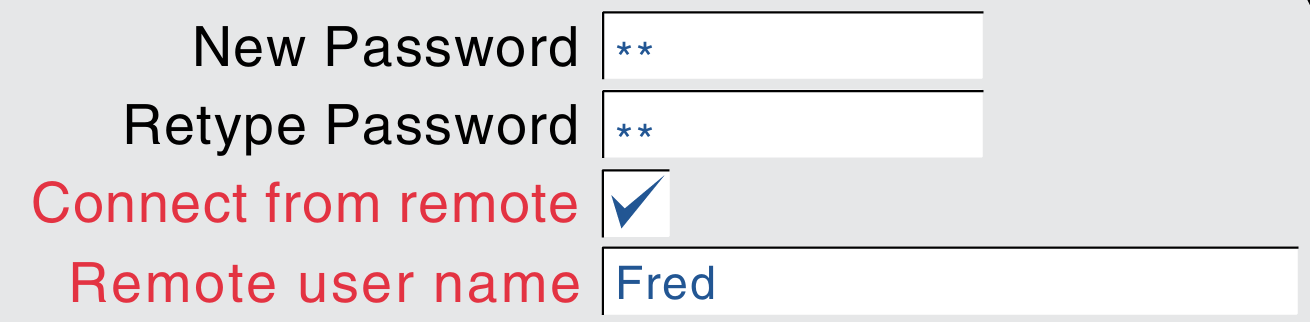
Engineers configure a device across multiple pages. Previously, red labels marked edited settings, but finding a particular change meant searching back through those pages. The redesigned workflow keeps the previous value beside each edited setting, tracks the total in a banner across pages, and brings every pending change into one review.
Implemented and validated in customer beta testing. Customers described the configuration workflow as a “massive improvement”.
The situation
An engineer configures a device by opening a page, changing its settings and moving to the next page until setup is complete. The old interface marked each edited setting in red on its own page, but gave no running record of everything the engineer had changed. If the configuration produced an unexpected result, finding the relevant edit meant searching across previously configured pages.
This was one part of EPM Data, an industrial platform for recording process data and configuring devices. I worked on EPM's user experience over four years, from the programme's early stages. This case focuses on the configuration change workflow and the decisions I made within a wider team effort.
To review their work, people had to retrace their steps and remember where they had made each edit. The settings were still there; the missing piece was a way to find and check them together before submission.
My responsibility
I led the UX definition of the change management workflow. I mapped the different states and dependencies, designed the review experience and worked with engineering and stakeholders to balance user needs, technical constraints and delivery priorities. The work covered industrial touchscreen contexts, including 7-inch and 15-inch devices.
What I did
- Mapped the change states. I worked through what it meant for something to be added, edited, deleted or reverted, and how those actions affected the pending configuration.
- Tracked pending edits as they happened. The interface updated its record of pending changes while the user moved through the configuration, before the final submission.
- Made the record easy to find. A persistent banner followed the engineer across configuration pages, showing the total number of pending changes and opening the consolidated review on click.
- Grouped the review by affected item. People could inspect the change in context instead of reconstructing it from separate screens or from memory.
- Designed the decision point. The flow distinguished reviewing, submitting and discarding changes, with a route back when something needed correction.
People needed a record of their changes before submission, while there was still time to go back and correct them.
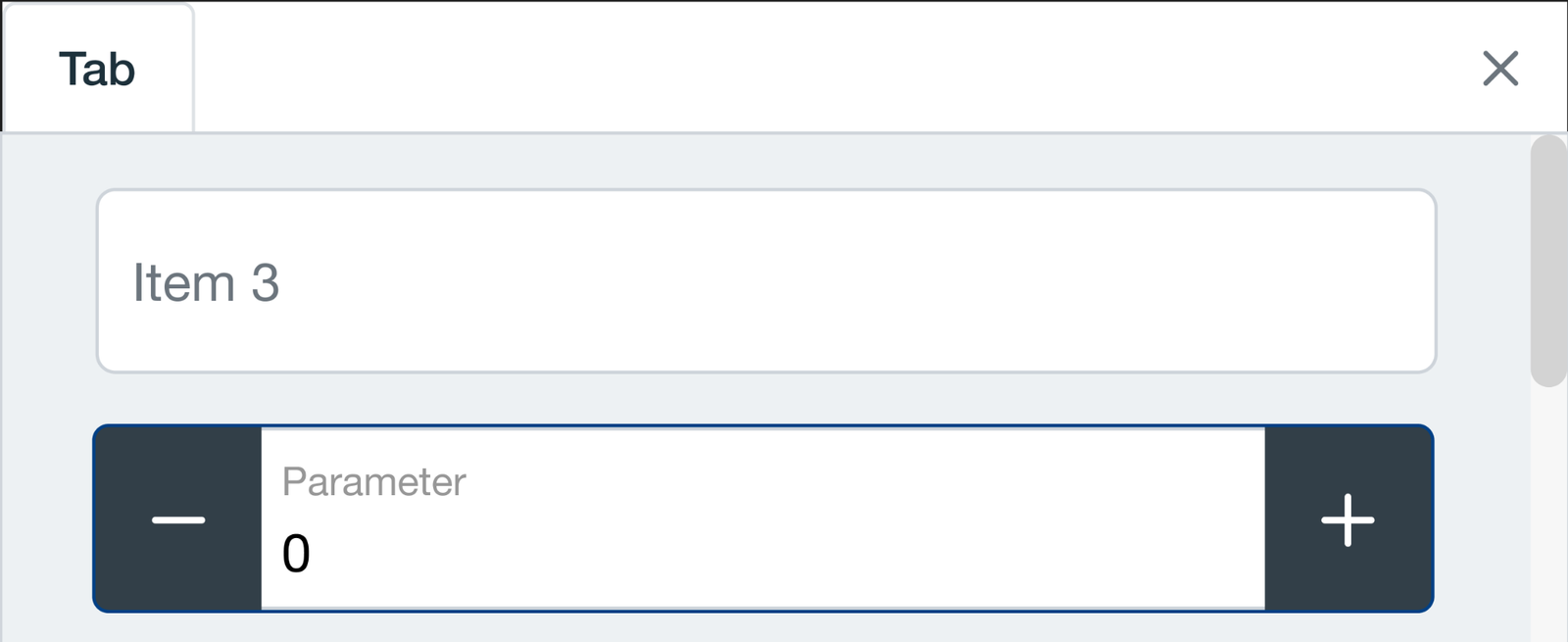
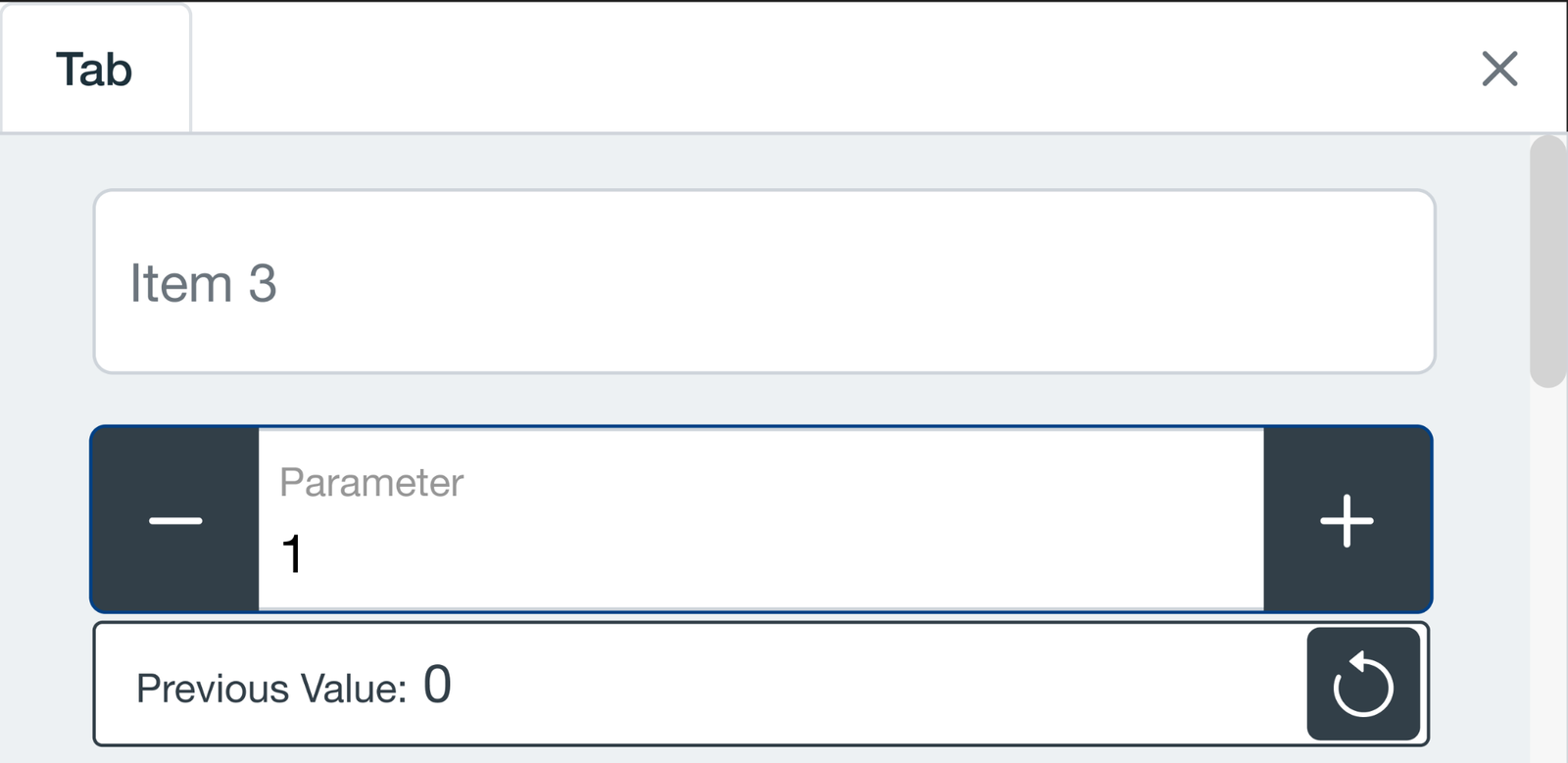
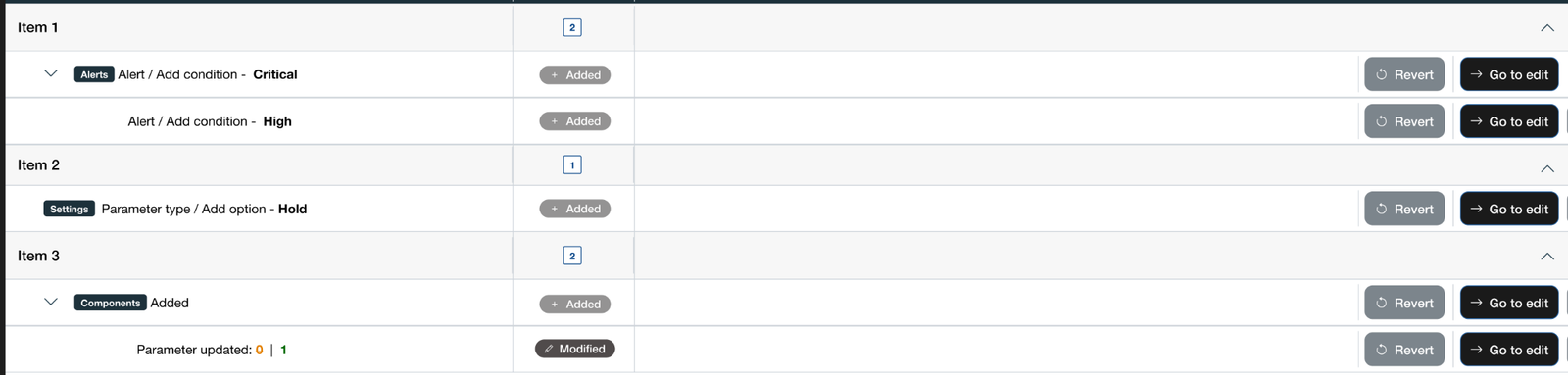
- Edit across pagesEach change updates the pending record as the user works.
- Open the reviewSee the count and changes grouped by affected item.
- Check or correctReturn to an item, edit it or revert a change before submission.
- Make the final decisionSubmit the reviewed changes or discard the pending work.
The hardest trade-off
The review had to work on a 7-inch touchscreen as well as larger displays. It also depended on tracking each pending edit as the user worked. Engineering initially wanted to handle updates only after submission, which would have left the review without an up-to-date record at the point where users needed it.
I made the case for maintaining the pending state throughout the flow, while keeping submission as the final action. We moved less important work back in the plan so the team could implement that behaviour. Within the limited screen space, the review grouped changes by area and item, showing what was added, modified or deleted and giving users a route back to edit or revert a change.
What we learned in beta
The workflow was implemented and tried by beta customers. Their feedback was that it was a “massive improvement” for configuring the software: reviewing changes in one place made the process feel smoother and faster than retracing their steps across pages.
EPM had not launched when I left. The product was released later with the pending change review as part of its configuration workflow.
Evidence: qualitative customer feedback from beta testing.
Retrospective
A red indicator on an individual setting helped locally, but it did not support a task spanning many pages. I learned to treat the record of pending work as part of the workflow itself. That meant agreeing with engineering on when the interface would track changes and protecting that behaviour in the delivery plan, even when it meant postponing lower-priority work.