Impact
From individual emails to targeted updates in private parent hubs.
Gaby previously sent event information mostly through individual emails. Now she creates one class event, adds the information or document and selects the parents who need access. The update appears in each selected parent’s private hub.
After the initial setup of parent accounts, Gaby reports spending substantially less time managing event communications.
Who the site is for
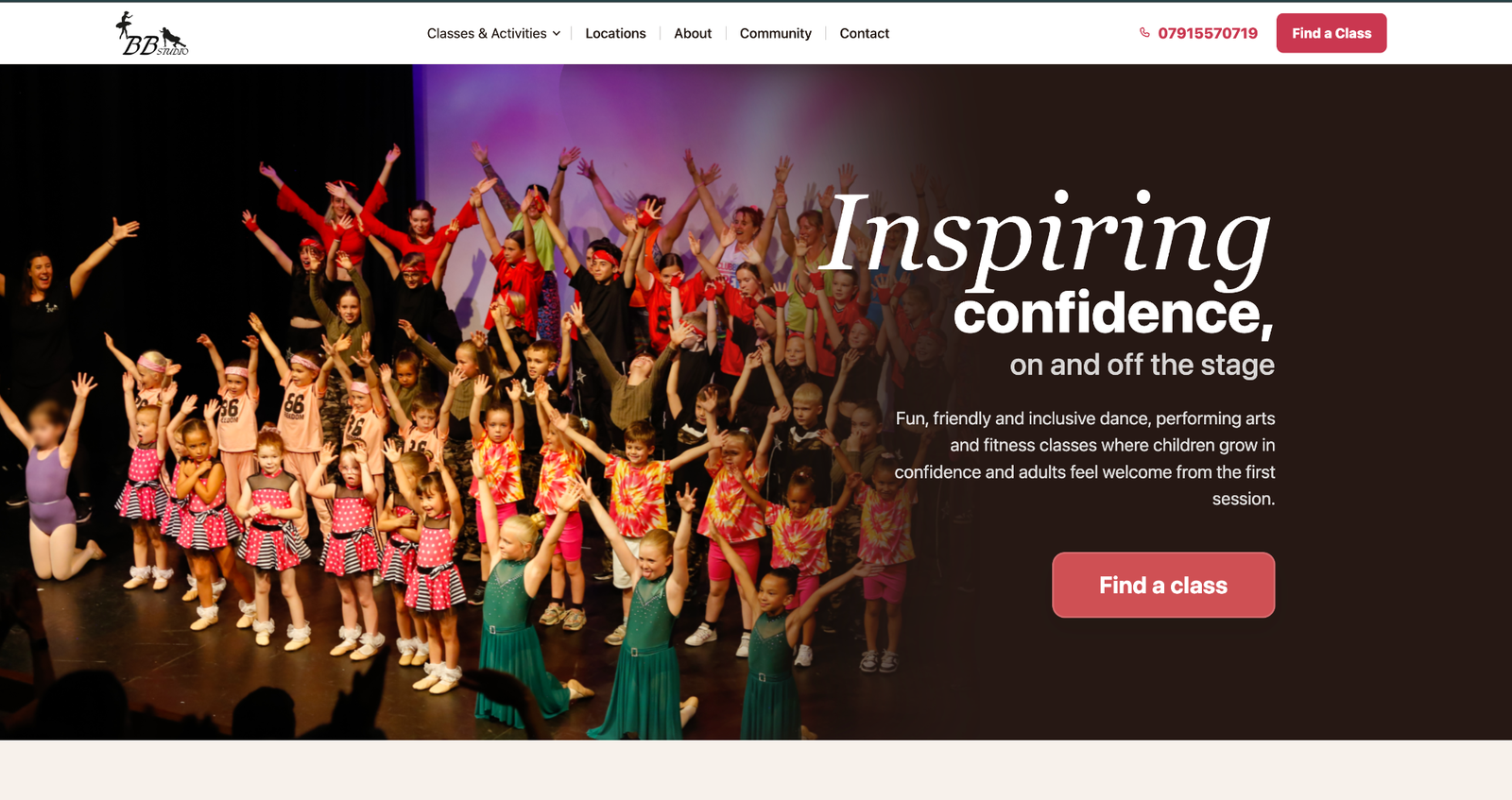
Gabriella (“Gaby”) runs Beat Box Studio, offering dance and performing arts classes for children and teenagers, and dance fitness for adults. Classes take place across several local venues. A parent looking for ballet and an adult trying Clubbercise arrive with different questions, but both need to know whether a class fits before they are ready to book.
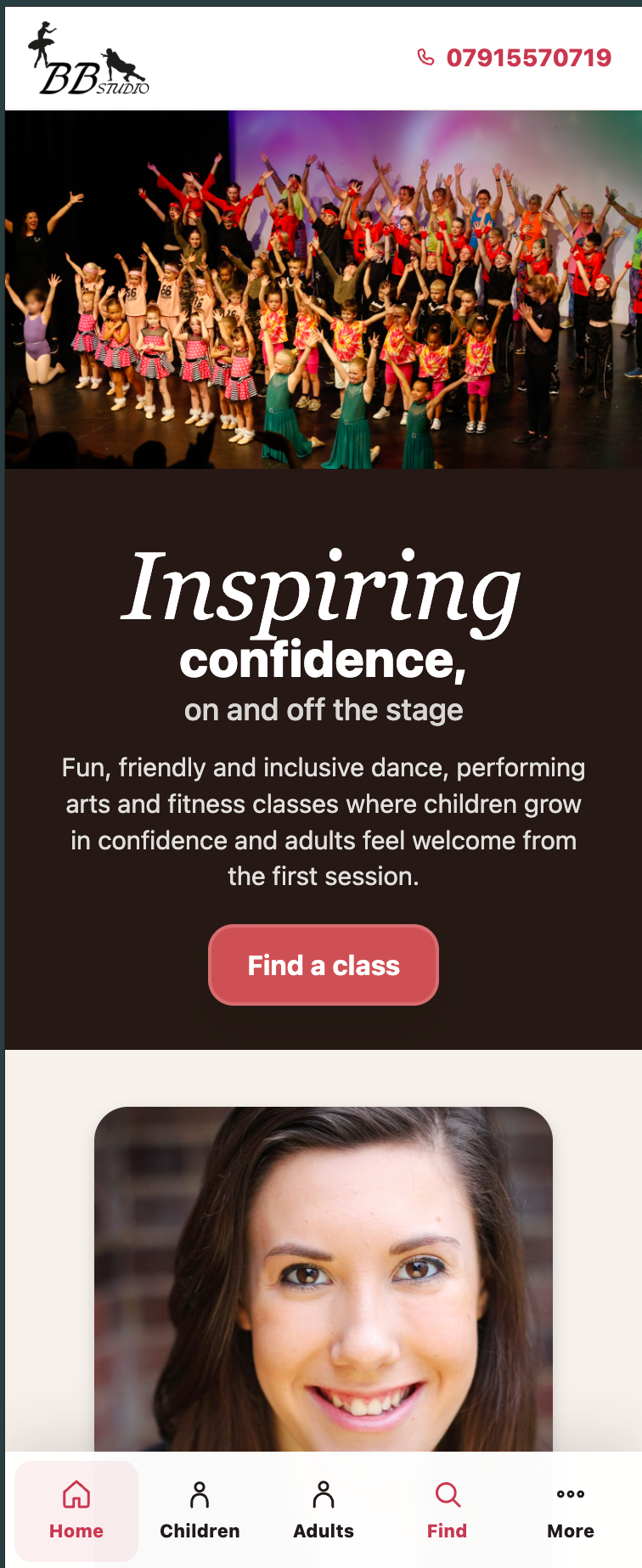
I led the redesign of the website and its editing experience. My work covered a review of local competitors, the site structure and journeys, responsive UI, the custom CMS, implementation review and testing through launch.
The problem to solve
Class information was spread across age groups, activities, venues, days and booking routes. Asking visitors to browse a long timetable first put the work on them. Gaby had the parallel problem of keeping those details current as classes and events changed.
The decision: help people choose before they book
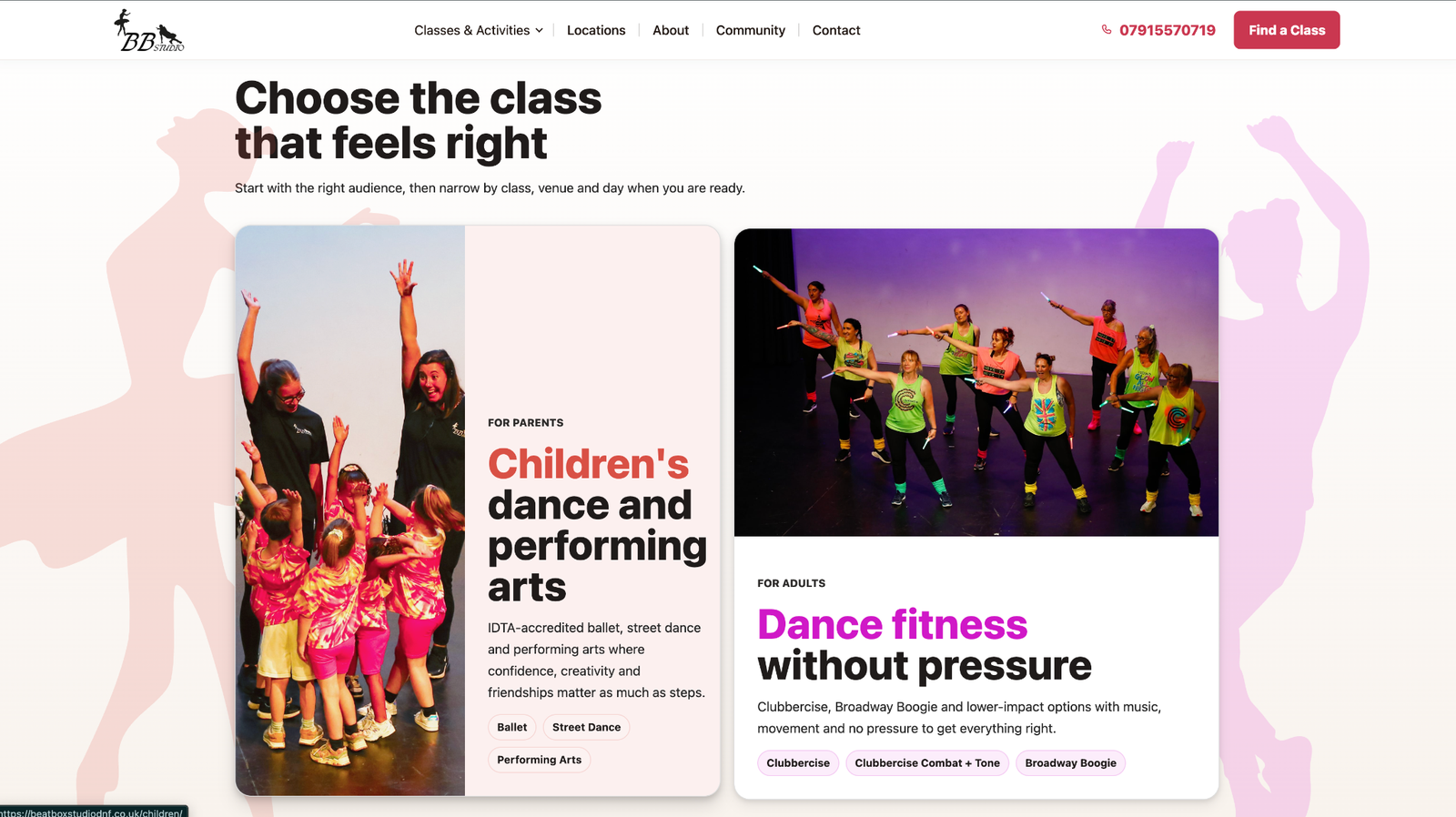
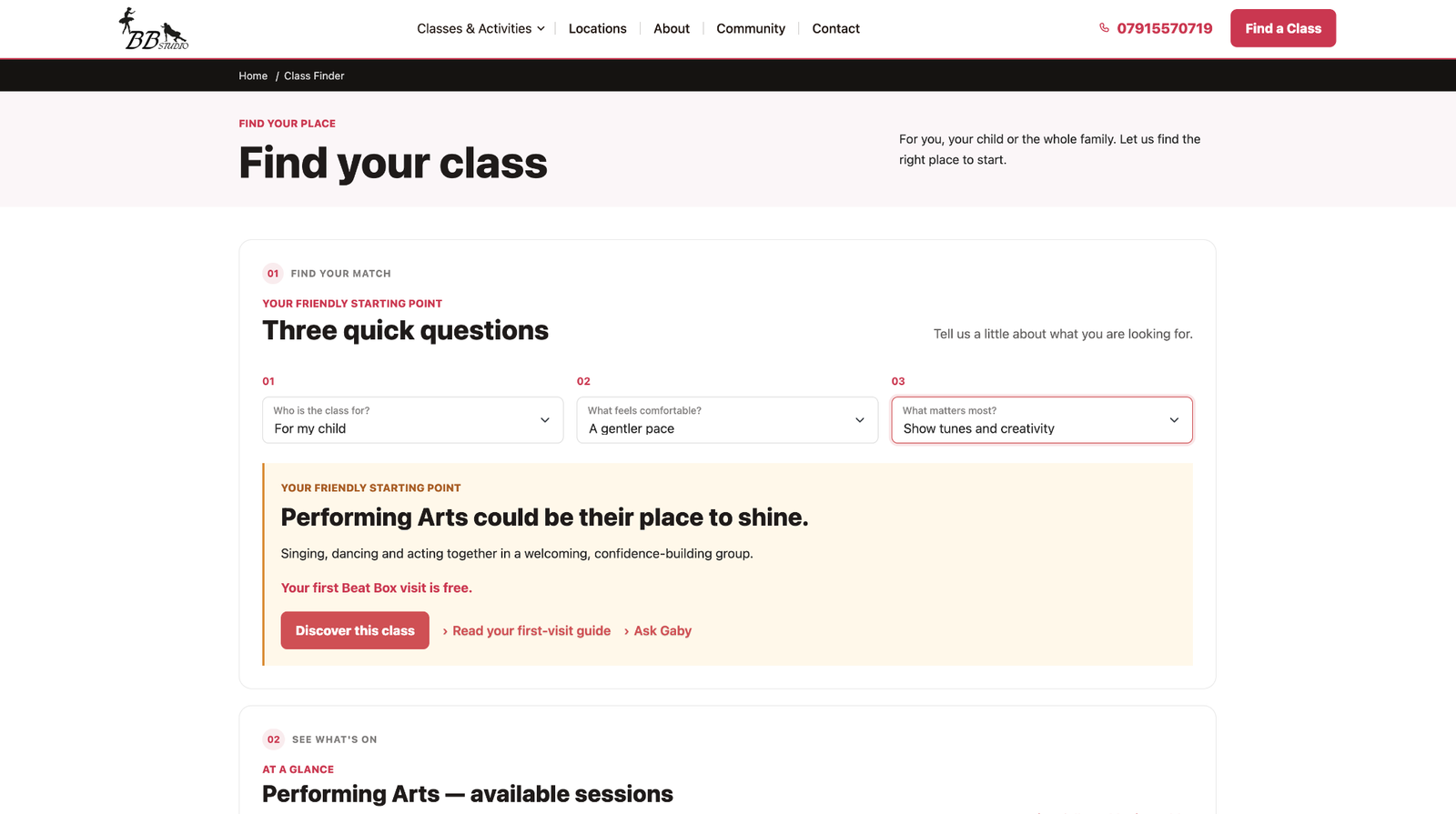
A timetable can list every class accurately and still leave a visitor unsure where to start. I separated the routes for parents and adults, then designed the Class Finder around the questions that narrow a choice: who the class is for, where they can attend and what type of activity they want. The full class information remains available once they have a relevant option.
Three decisions that shaped the public site
- Start with the person, then the timetable. I created distinct routes for parents and adults, with a Class Finder that asks a few practical questions and narrows suitable options. This gives visitors a starting point without making them decode every class on offer.
- Put the decision-making details together. A class page connects age range, venue, day, price, what to expect and the next step. Free trials, teacher information and first-visit guidance answer common concerns before a booking prompt.
- Keep booking in context. Gymcatch handles relevant bookings, but the site helps someone choose a class first. The booking service is reached from the class journey rather than becoming the whole experience.
Working with the person who runs it
Gaby is the person who will keep this information accurate after launch. That changed the scope of the design: a polished public Class Finder would become unreliable if updating a venue, age range or timetable was difficult for her. I worked on the public journey and her editing workflow together, and I continue to test the CMS with her as she uses it.
Designing for Gaby's daily work
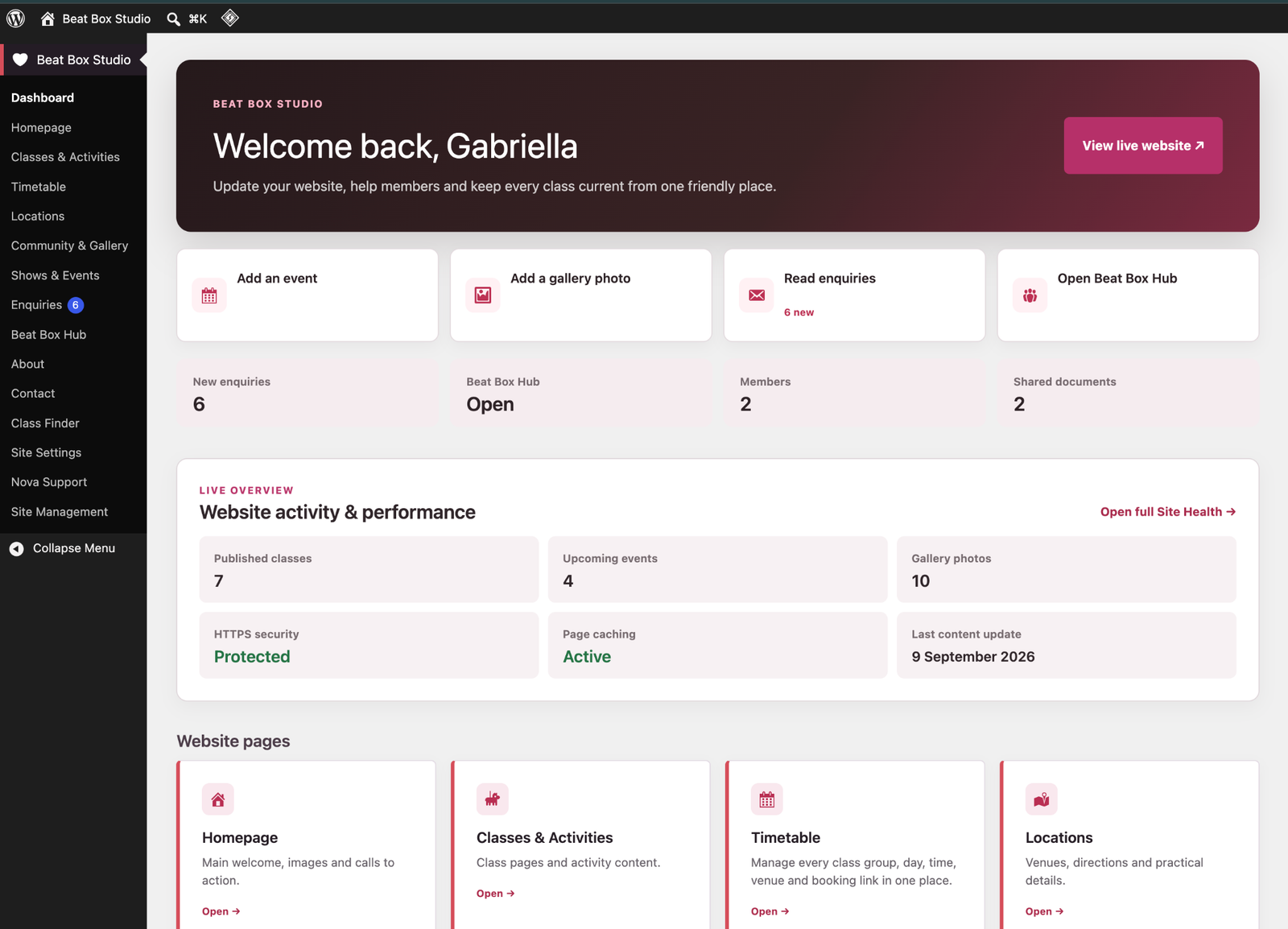
The public journey only works if class details stay accurate. I designed a custom WordPress management area around the studio's own tasks: classes, age groups, venues, timetables, events and enquiries. Gaby can edit structured information that feeds the public pages and change key home content without rearranging the layout. I am still testing and improving this CMS with her.
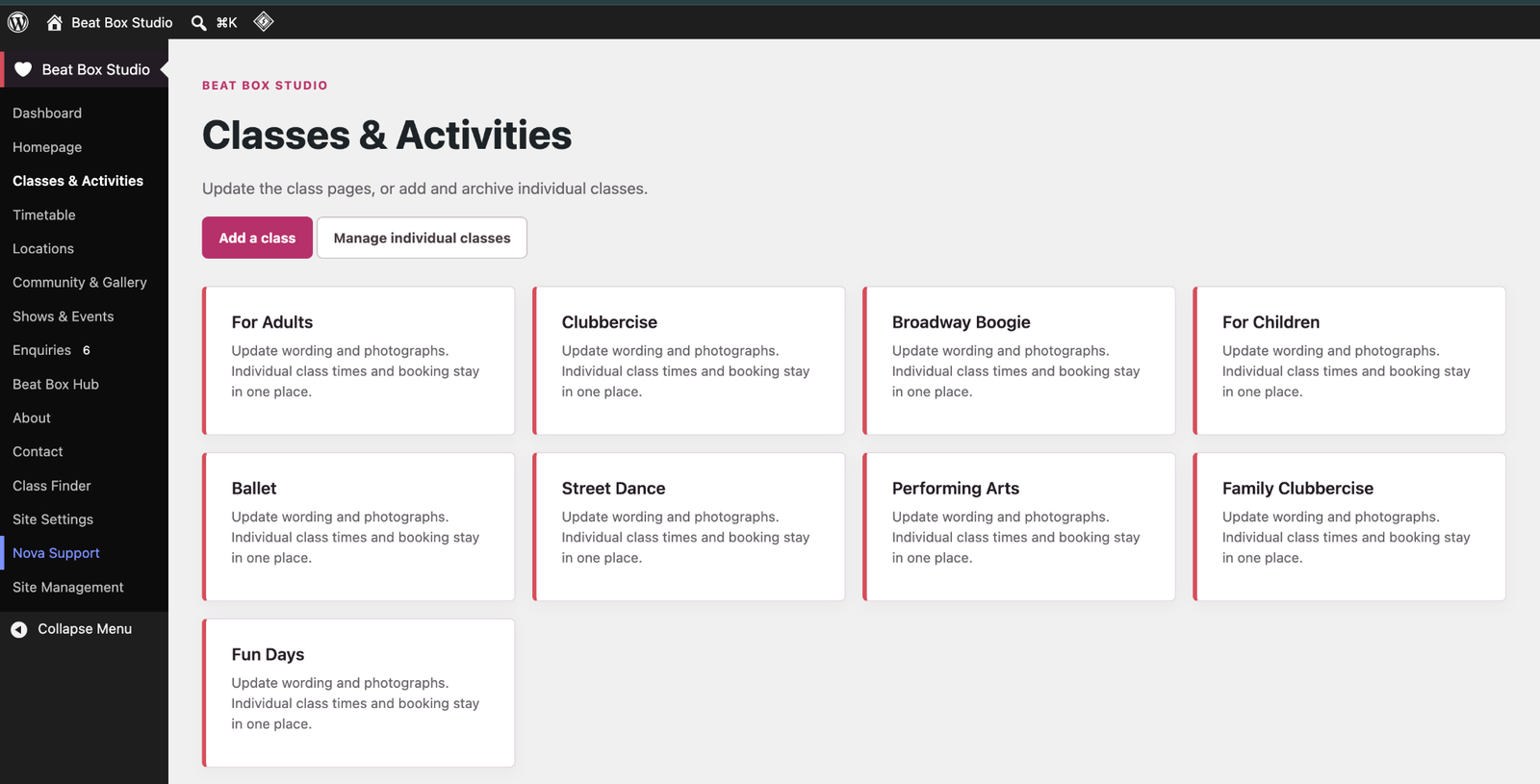
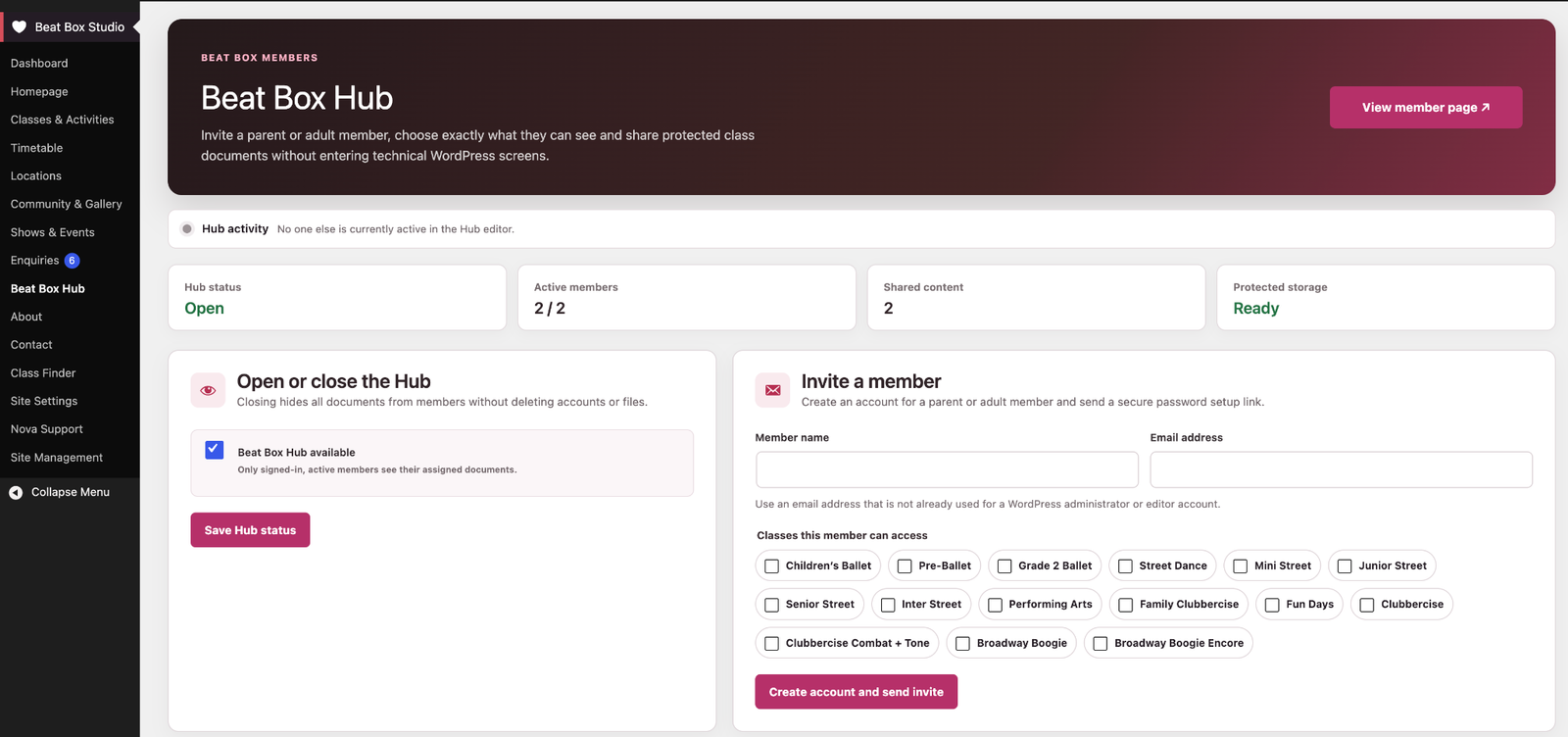
The dashboard brings routine work together. The Classes & Activities screen uses recognisable groups rather than asking Gaby to manage every class as an unrelated web page. For existing families, I also designed the Parent Hub: Gaby can invite a parent or adult member, choose which classes they can access and share protected documents without using WordPress's standard user screens.
Replacing repeated emails with one targeted publication
On the previous GoDaddy site, Gaby updated content manually and the information page was public. To communicate with specific families privately, she mostly emailed parents individually.
I designed and built a private Parent Hub around this recurring task. Gaby creates an event for the relevant class, adds the information or document and selects the parents who need access. Publishing once makes the information available in each selected parent’s hub.
Entering parent email addresses required an initial setup effort. Once accounts were in place, the workflow replaced repeated individual emails with one publication to selected families. Gaby reports spending substantially less time managing event communications.
Outcome and reflection
The public website launched, and Gaby particularly likes the Class Finder. It gives visitors a short route from their needs to a relevant class instead of making them decode a full timetable. The CMS continues to evolve through testing with her. The Parent Hub extends that work to existing families, giving Gaby a private, targeted way to share event information.
I also maintain Beat Box Studio's Google Business Profile as part of its local digital presence. I do not have reliable before-and-after booking or traffic data to attribute to a single change. This work made me check the experience from both sides: whether visitors can choose a class and whether Gaby can keep the information they depend on correct. A good front end would not hold up if the daily editing work were too hard. Visit Beat Box Studio.